
Choosing a new laptop is not always as simple as picking the latest processor or the most attractive design. In 2026, buyers have another important decision to make: should you choose a traditional laptop or go for a 2-in-1 convertible device that can also work as a tablet? Both options can be excellent, but they are designed around different ways of working.
If you’re browsing laptops online UAE, the choice usually comes down to how you use your device every day. Do you mainly type documents, attend meetings and work with multiple applications? Or would you benefit from a touchscreen that lets you fold the device into a tablet for reading, drawing, presenting or taking notes?
Let’s look at the practical differences so you can decide which format makes more sense for your lifestyle.
What Is a Traditional Laptop?
A traditional laptop has a fixed clamshell design with a screen and keyboard connected by a standard hinge. It is designed primarily for productivity, making it a natural choice for professionals, students and anyone who spends a lot of time typing.
Modern laptops are available in a wide range of configurations, from lightweight everyday machines to powerful gaming and workstation-class systems. You can also find models with larger screens, more powerful processors and dedicated graphics depending on your requirements.
For people who mainly work with documents, spreadsheets, browsers, business software and communication tools, a conventional laptop remains a straightforward and dependable option.
What Is a 2-in-1 Convertible Laptop?
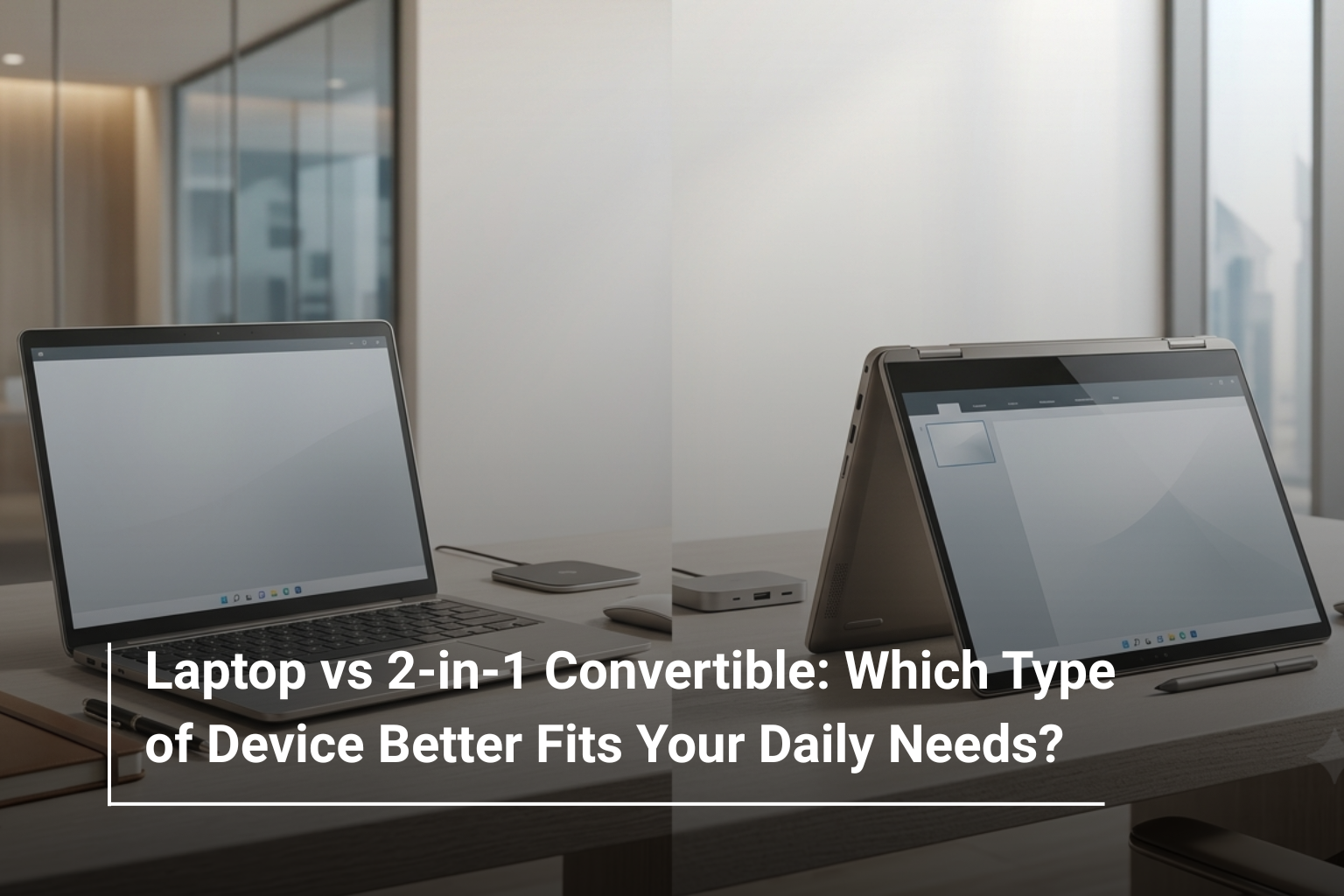
A 2-in-1 convertible combines the functionality of a laptop with the flexibility of a tablet. Its hinge allows the display to fold backwards, usually into several positions.
Depending on the model, you may be able to use it in:
- Laptop mode for typing and everyday work
- Tent mode for presentations or watching content
- Stand mode for media consumption
- Tablet mode for reading, browsing or touch-based tasks
This flexibility is particularly useful for people who move between different types of activities throughout the day.
Laptop vs 2-in-1: What Is the Difference?
The biggest difference isn’t necessarily performance. It is the way you interact with the device.
Feature | Traditional Laptop | 2-in-1 Convertible |
Keyboard | Built for regular typing | Built for typing but folds away |
Touchscreen | Available on selected models | Usually a key feature |
Tablet Mode | No | Yes |
Flexibility | Standard laptop use | Multiple usage modes |
Portability | Depends on model | Often designed with mobility in mind |
Stylus Support | Model dependent | Common on many models |
Best For | Productivity and general computing | Flexible work, study and entertainment |
When Should You Choose a Traditional Laptop?
A traditional laptop is often the better option if your priority is productivity and conventional computer use. If most of your day involves typing, working with spreadsheets, managing files or using desktop applications, the familiar keyboard-and-screen layout is hard to beat.
You should consider a traditional laptop if:
- You type for several hours each day
- You frequently use keyboard shortcuts
- You need powerful hardware for demanding applications
- You prefer a conventional laptop design
- You don’t expect to use tablet mode or touch features regularly
There is also a much broader choice of traditional laptops across different price and performance categories, making it easier to find a model that fits a specific budget.
When Does a 2-in-1 Make More Sense?
A convertible becomes particularly appealing when flexibility is more important than raw performance. Students can use tablet mode for reading and handwritten notes, while professionals can switch to tent or stand mode during presentations.
A 2-in-1 is worth considering if you:
- Prefer touchscreen interaction
- Want one device for work and entertainment
- Travel frequently
- Use a stylus for notes or creative tasks
- Like the convenience of tablet mode
For example, the Lenovo Yoga 2-in-1 UAE range is designed around this type of flexible usage, combining a traditional laptop experience with convertible functionality.
Performance: Is One Faster Than the Other?
Not necessarily. A common misconception is that 2-in-1 laptops are automatically less powerful than traditional laptops. In reality, performance depends on the processor, RAM, storage and graphics hardware inside the specific model.
For everyday work, look for at least 16GB of RAM and a modern processor. If you’re working with demanding creative applications, software development or other intensive workloads, you may want a more powerful CPU and additional memory.
For example, a conventional laptop with a powerful Intel Core Ultra or AMD Ryzen processor can easily outperform a lightweight convertible designed primarily for portability.
Display and Touchscreen Experience
This is where 2-in-1 devices have a clear advantage. A touchscreen can make certain tasks feel much more natural, particularly when navigating documents, browsing websites, viewing presentations or using a compatible stylus.
However, don’t choose a touchscreen simply because it sounds appealing. If you spend most of your time connected to a desk and typing with a mouse and keyboard, you may rarely use it.
When comparing screens, pay attention to:
- Resolution
- Panel type
- Brightness
- Colour accuracy
- Refresh rate
- Touch and stylus support
A good touchscreen should complement the overall laptop rather than be the only reason you choose a particular model.
Portability and Everyday Convenience
If you regularly carry your laptop between home, university, the office or meetings, size and weight become important.
A 14-inch convertible can be particularly convenient because it offers enough screen space for productivity while remaining relatively easy to carry. Traditional 14-inch laptops can offer similar portability, so the real advantage of a convertible comes from its additional modes of use.
For people who spend most of their time at a desk, a larger 15- or 16-inch laptop may provide a more comfortable workspace.
Battery Life and Charging
Battery life depends more on the processor, display, battery capacity and software optimisation than on whether the laptop is a traditional or convertible model.
If portability is your priority, compare the manufacturer’s battery estimates with independent reviews where possible. A slim convertible with an efficient processor can be excellent for mobile work, while a powerful gaming laptop may require more frequent charging.
Don’t judge battery life solely by the number printed on the product page. Your actual usage, screen brightness and applications will all affect it.
Which One Is Better for Students and Professionals?
There isn’t one universal answer. Students who frequently move between classrooms, libraries and home may appreciate the flexibility of a convertible. Being able to fold the screen back for reading or note-taking can be genuinely useful.
Professionals who primarily work with spreadsheets, emails, documents and business software may prefer a traditional laptop, particularly if they don’t need touchscreen functionality.
Your Priority | Better Choice |
Heavy typing | Traditional laptop |
Touchscreen use | 2-in-1 |
Handwritten notes | 2-in-1 |
Business productivity | Either |
Tablet functionality | 2-in-1 |
Maximum performance | Depends on configuration |
Gaming | Traditional performance laptop |
Flexible presentations | 2-in-1 |
Don’t Forget the Other Specifications
Regardless of the form factor you choose, the internal specifications still matter. A beautiful convertible with insufficient RAM or storage can become frustrating, while a traditional laptop with the right configuration can remain useful for years.
Before buying, check the processor, RAM, SSD capacity, display, battery, ports, wireless connectivity and operating system. Also consider whether the RAM and storage can be upgraded later, particularly if you plan to keep the laptop for several years.
Laptop or 2-in-1: Which Should You Buy?
If your priority is straightforward productivity, comfortable typing and performance, a traditional laptop is likely to be the better fit. If you want touchscreen functionality, tablet mode and greater flexibility in how you use your device, a 2-in-1 convertible can be worth the additional consideration.
The good news is that there is no wrong choice. The right device depends on your routine. Before browsing laptops online UAE, think about where you’ll use your laptop, what applications you’ll run and whether you’ll genuinely benefit from a convertible design.
Find Your Next Laptop at AL Lavisha Computers
At AL Lavisha Computers, you can explore laptops from leading brands including ASUS, Acer, Dell, HP, Lenovo and MSI, with configurations suited to different budgets and workloads. Whether you need a dependable everyday notebook or a flexible convertible for study, travel and work, comparing the specifications and features side by side can help you make a more confident purchase. With a broad selection of computing products and genuine warranty options, AL Lavisha Computers makes it easier to find a device that fits the way you actually work.