
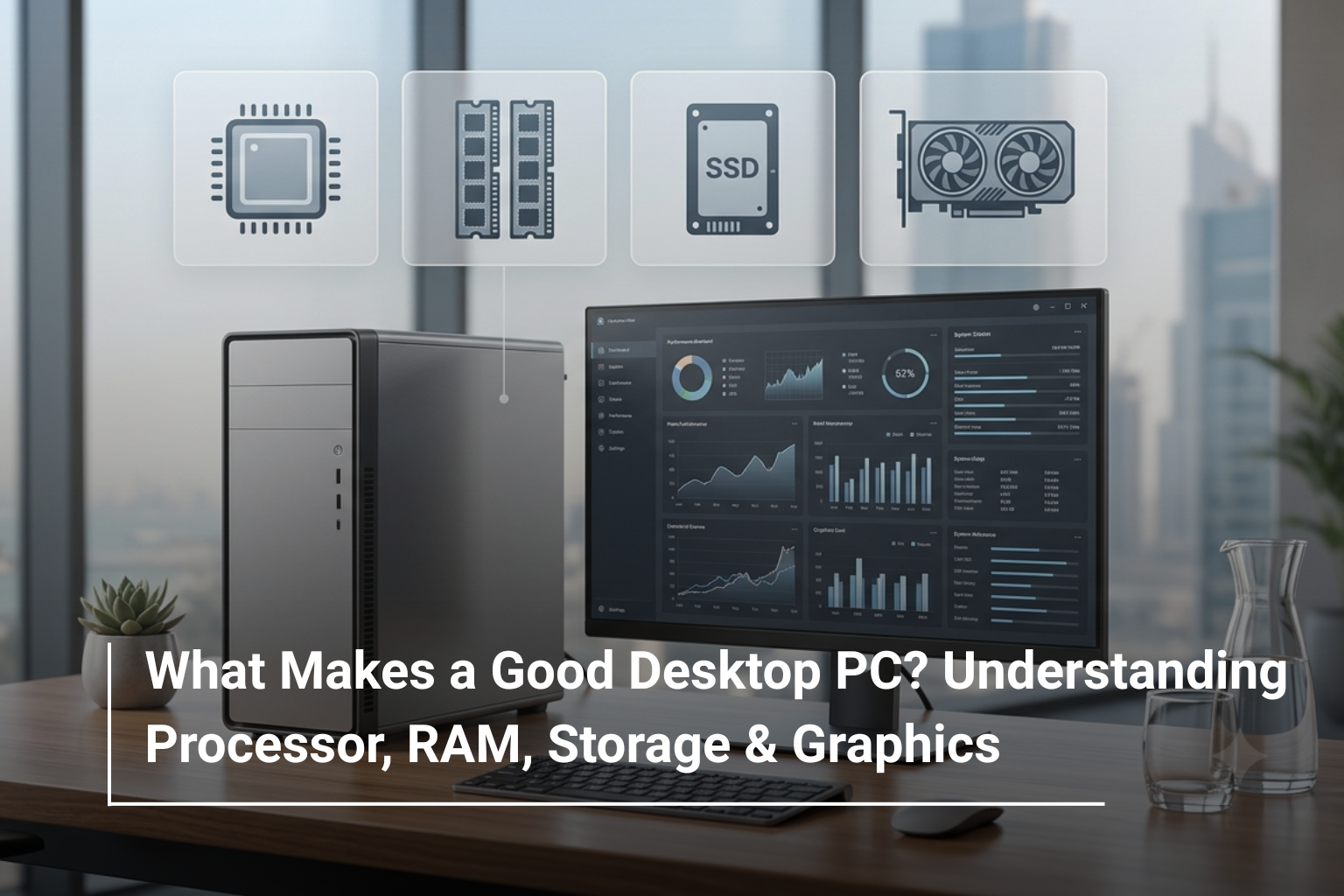
Buying a desktop PC can look surprisingly complicated. You may see two computers with similar prices but very different processors, RAM, storage, and graphics configurations. One may be better for office work, while another is designed for demanding applications or heavier workloads. So, what actually makes a desktop PC good?
The answer depends on what you expect the computer to do. A home user doesn’t need the same hardware as a business professional, designer, or gamer. When comparing desktop PC prices UAE, looking beyond the price tag and understanding the key specifications can help you choose a system that offers the right combination of speed, reliability, and room for future use.
The Processor: Where Desktop Performance Starts
The processor, or CPU, is one of the most important components in a desktop computer. It handles calculations, runs applications, and coordinates many of the tasks happening inside your system.
Processors come in different performance levels, so choosing one simply because it says “Core i7” or has a higher generation number isn’t always enough. Consider the type of work you’ll be doing.
For everyday tasks such as browsing, emails, documents, accounting software, and video calls, a modern Core i5-class processor can be more than sufficient. Professionals handling larger workloads, multitasking, programming, data processing, or demanding business applications may benefit from a Core i7-class processor or higher.
For example, the Dell OptiPlex 7010 desktop available through AL Lavisha Computers combines an Intel Core i7-13700 processor with configurations ranging from 8GB to 32GB RAM and different SSD and HDD combinations, making it relevant for users looking for a more capable business desktop.
RAM: How Much Do You Really Need?
RAM affects how smoothly your desktop handles multiple applications at the same time. If you frequently switch between spreadsheets, browsers, communication tools, and other software, having sufficient RAM can make a noticeable difference.
A simple way to think about RAM is:
RAM | Suitable For |
8GB | Basic home and office tasks |
16GB | Multitasking and professional work |
32GB | Advanced productivity and demanding applications |
64GB+ | Heavy professional, creative, engineering or specialised workloads |
For a new desktop PC, 16GB is a sensible starting point for many users. If you’re buying a computer for a business environment where several applications need to run simultaneously, choosing a configuration with more RAM can also extend the useful life of the system.
Storage: SSD vs HDD
Storage determines how much data your desktop can hold, but the type of storage also affects everyday responsiveness.
SSDs are considerably faster than traditional HDDs. Windows can start more quickly, applications open faster, and files are generally easier to access. HDDs can still be useful when you need a large amount of inexpensive storage for documents, archives, media, or backups.
For many users, a desktop with an SSD as its primary drive provides the best experience.
A Practical Storage Guide
- 512GB SSD: A good starting point for office and home users.
- 1TB SSD: Better for professionals with larger applications and files.
- 1TB SSD + HDD: Useful when you need both speed and additional capacity.
- 2TB or more: Suitable for large media libraries and storage-heavy workloads.
The Dell OptiPlex configurations available at AL Lavisha Computers illustrate why comparing storage combinations matters. Some versions pair an SSD with a 1TB HDD, while others focus entirely on SSD storage.
Graphics: Do You Need a Dedicated GPU?
Not every desktop requires a dedicated graphics card. For standard office work, accounting, web browsing, presentations, and general business applications, integrated graphics are usually enough.
A dedicated GPU becomes more important when you’re working with:
- Modern PC games
- Video editing
- 3D modelling
- CAD and engineering software
- Animation
- Advanced visualisation
This is where you need to consider the type of graphics hardware included rather than simply looking at the amount of graphics memory.
For example, one of the Dell OptiPlex 7010 configurations listed by AL Lavisha includes an AFOX GT 730 4GB graphics card, while other configurations use Intel UHD Graphics. The right choice depends entirely on the applications you intend to run.
Don’t Ignore the Motherboard and Upgrade Options
Specifications on the product page tell only part of the story. Before buying a desktop, check whether the system provides room for future upgrades.
Depending on the model, you may want to consider:
- Additional RAM slots
- Extra storage connections
- Available PCIe slots
- USB ports
- Display outputs
- Network connectivity
A desktop that allows future upgrades can be a smarter long-term purchase because you may be able to increase RAM or storage instead of replacing the entire computer.
Form Factor Matters Too
Desktop computers aren’t all built the same way. Some are compact systems designed for smaller workspaces, while tower PCs provide more room for components and upgrades.
An all-in-one PC combines the computer and display into one unit, making it particularly useful when desk space and clean design are priorities. Traditional towers, meanwhile, are generally better suited to users who want flexibility and upgrade potential.
For example, the Dell OptiPlex 7020 Plus Tower desktop is a more traditional tower-style solution with an Intel Core i7-14700 processor, 16GB RAM, and 512GB SSD, making it a strong option for users who want a capable business desktop without moving into a gaming-focused system.
What Specifications Should You Choose?
The ideal configuration depends on your workload rather than simply choosing the most powerful computer available.
User Type | CPU | RAM | Storage | Graphics |
Home User | Core i3/i5 | 8–16GB | 512GB SSD | Integrated |
Office User | Core i5 | 16GB | 512GB–1TB SSD | Integrated |
Professional | Core i5/i7 | 16–32GB | 1TB SSD | Integrated/Dedicated |
Creator | Core i7/i9 or equivalent | 32GB+ | 1TB+ SSD | Dedicated GPU |
Gamer | High-performance CPU | 16–32GB | 1TB+ SSD | Dedicated GPU |
This approach can help you avoid paying for hardware that you simply won’t use.
How to Compare Desktop PCs Before Buying
When comparing desktop PC prices UAE, don’t judge two systems solely by their headline price. Look at the complete specification.
Check the:
- Processor model and generation
- RAM capacity and type
- SSD/HDD configuration
- Graphics solution
- Upgrade possibilities
- Operating system
- Included accessories
- Warranty and after-sales support
A slightly more expensive computer may provide significantly better value if it includes more RAM, faster SSD storage, or a newer processor.
Is a Desktop PC Still Worth Buying in 2026?
Absolutely. Laptops are convenient, but desktops continue to have several advantages. They can offer stronger performance for the price, larger upgrade possibilities, better cooling, and easier maintenance.
They’re particularly useful for offices, home workstations, reception areas, educational environments, creative professionals, and users who spend most of their computing time at a fixed desk.
If portability isn’t important to you, a desktop can provide excellent long-term value.
Final Thoughts
A good desktop PC isn’t defined by one impressive specification. It is the combination of the processor, RAM, storage, graphics, connectivity, and upgrade potential that determines whether a system is genuinely suitable for you.
Before comparing Dell desktops UAE or other brands, start by identifying your workload. Someone using Microsoft Office and web applications has very different requirements from a video editor, engineer, or gamer.
The goal isn’t to buy the most powerful desktop available. It’s to choose a configuration that gives you enough performance today while leaving enough flexibility for tomorrow.
Choose Your Desktop with AL Lavisha Computers
At AL Lavisha Computers, customers can explore a range of desktop systems from established brands, including Dell and Lenovo, with different processor, RAM, storage, and graphics configurations. Whether you need a dependable office computer or a more powerful workstation for demanding tasks, comparing the complete specifications makes it easier to find a system that fits both your workload and budget. With competitive options and genuine products, AL Lavisha Computers makes desktop shopping more straightforward for UAE buyers.