
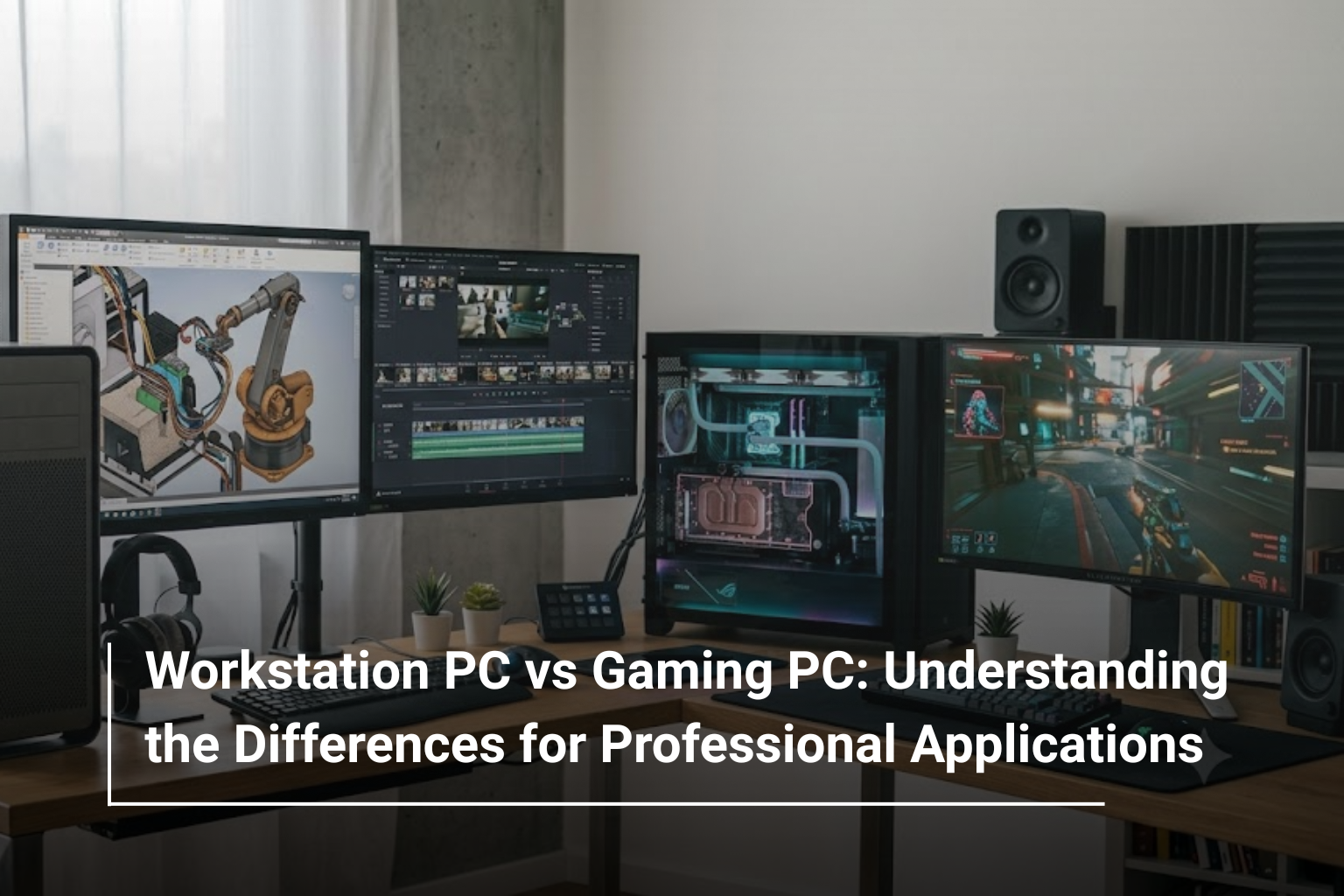
Choosing a desktop computer for demanding work requires more than looking at processor speed, RAM or graphics card specifications. While gaming PCs are built to deliver smooth gameplay and high frame rates, workstation PCs are designed to handle professional workloads such as 3D modelling, video production, engineering simulations and complex design applications. Although both systems can offer impressive performance, their hardware configurations and intended uses can differ significantly.
If you are exploring desktop PCs in UAE, understanding these differences can help you invest in a system that suits your daily workload. A gaming PC may provide all the performance a content creator needs, while a dedicated workstation could be a better fit for an engineer working with large CAD assemblies or a professional running specialised software.
Let’s compare workstation PCs and gaming PCs to understand how they differ, which applications benefit from each type and what you should consider before buying one.
What Is a Workstation PC?
A workstation PC is a computer designed for professional applications that require consistent performance, reliable hardware and the ability to handle complex tasks. These systems are commonly used by engineers, architects, designers, researchers and video production teams.
Unlike standard desktop computers, workstations can be configured with professional-grade processors, specialised graphics cards, larger memory capacities and storage solutions suited to demanding workloads.
Typical applications include:
- CAD software and mechanical design
- 3D modelling, rendering and animation
- Video editing and visual effects
- Scientific computing and data analysis
- Architectural visualisation and engineering simulations
For example, professionals working with large models in Autodesk applications or complex visualisation projects may benefit from a workstation configured specifically for their software requirements. In these situations, stability, memory capacity and application compatibility can be just as important as raw processing speed.
What Is a Gaming PC?
A gaming PC is designed primarily to run modern games at high resolutions, maintain smooth frame rates and deliver responsive performance. Its configuration usually prioritises a powerful graphics card, a capable processor, fast memory and efficient cooling.
However, gaming computers are no longer limited to entertainment. Their powerful GPUs and multicore processors make them suitable for several professional applications, including video editing, graphic design, streaming, 3D rendering and some AI workloads.
A well-configured gaming desktop can be particularly useful for creators who need strong graphics performance without investing in a specialised workstation.
For instance, professionals who edit high-resolution footage, create digital content or work with GPU-accelerated applications may find that a gaming PC offers an attractive combination of performance and value.
Workstation PC vs Gaming PC: What Is the Difference?
The most important difference is how each system balances performance, compatibility and reliability for its intended workload.
|
Feature |
Workstation PC |
Gaming PC |
|
Primary purpose |
Professional and technical applications |
Gaming and graphics-intensive tasks |
|
Graphics card |
Professional GPU or workstation-class graphics |
Consumer gaming GPU |
|
Processor |
Selected for demanding professional workloads |
Selected for gaming and multitasking |
|
Memory |
May support high capacities and ECC memory |
Usually standard DDR memory |
|
Software compatibility |
May offer application-specific certification |
Depends on the application and hardware |
|
Reliability features |
May include validated components and professional support |
Depends on component quality and configuration |
|
Cooling |
Designed around the selected professional workload |
Often optimised for sustained gaming performance |
|
Upgrade options |
Depend on the workstation platform |
Depend on the case, motherboard and power supply |
|
Typical users |
Engineers, architects and technical professionals |
Gamers, streamers and content creators |
These are general differences rather than fixed rules. High-end gaming PCs can be extremely powerful, and some workstation configurations share similar hardware with gaming systems. The right choice depends on the software you use and how heavily you rely on your computer.
Processor Performance: Intel Core, Xeon and AMD Ryzen
The processor plays a major role in determining how quickly a desktop handles complex calculations, multitasking and demanding applications.
Gaming PCs commonly use consumer processors such as Intel Core or AMD Ryzen models. These CPUs can deliver excellent single-core performance, which is important for many games and applications that depend heavily on a small number of processing threads.
Workstation PCs may use high-performance Intel Core or AMD Ryzen processors, while more demanding professional configurations can use workstation-class platforms such as AMD Ryzen Threadripper or Intel Xeon, depending on the system.
These processors can offer higher core counts, expanded memory capabilities or platform features suited to particular professional workloads.
For example, an architect working with detailed 3D models may benefit from strong single-core performance for interactive design tasks and additional cores for rendering. A professional running complex simulations or processing large datasets may benefit more from a CPU with substantial multicore performance.
Rather than choosing a processor based only on its product family, compare the performance requirements of your actual applications.
Graphics Cards: NVIDIA GeForce vs NVIDIA RTX Professional GPUs
Graphics hardware is one of the most noticeable differences between workstation and gaming PCs, although the distinction is not simply about which card is more powerful.
Gaming PCs often use NVIDIA GeForce RTX or AMD Radeon graphics cards. These GPUs are designed to deliver high frame rates, advanced visual effects and strong performance in modern games. They can also accelerate many creative applications, making them useful for video editing, 3D rendering and other GPU-intensive tasks.
Workstations may use professional graphics cards such as NVIDIA RTX professional GPUs. These products are designed for professional visualisation and compute workloads, with features and software support that can be valuable in specific applications.
Depending on the GPU and software, professional graphics solutions may offer application certifications, specialised drivers or other capabilities important to business environments.
For example, a video editor using GPU-accelerated effects may find a gaming GPU entirely suitable. However, an engineer working with certified CAD software may prefer a professional GPU if it offers verified compatibility with their application.
The key is to check the software vendor’s recommended hardware before deciding which graphics card to buy.
RAM and Storage: How Much Do Professional Applications Need?
Memory requirements can vary considerably between gaming and professional workloads.
A gaming PC with 16GB or 32GB of RAM may be sufficient for many gaming setups, depending on the games and applications running simultaneously. For professional use, 32GB is a practical starting point for many creative and technical workflows, while 64GB or more may be appropriate for large projects, complex 3D scenes, high-resolution video editing or memory-intensive simulations.
Some workstation platforms also support ECC memory, which can detect and correct certain types of memory errors. This can be valuable in supported systems where data integrity and continuous operation are important. ECC is not exclusive to workstations, and support depends on the processor, motherboard and memory configuration.
Storage also deserves attention. An NVMe SSD helps reduce application loading times, speeds up file access and improves the overall responsiveness of a desktop.
If you regularly handle large video files, CAD projects or extensive datasets, consider a combination of fast primary storage and additional capacity for project files and backups.
Workstation PC vs Gaming PC for Professional Applications
The best system depends on the type of work you perform. Different applications place different demands on the processor, GPU, memory and storage.
1. CAD, Engineering and Architecture
Computer-aided design applications are used for mechanical components, building plans, product development and engineering projects.
Some CAD workflows rely heavily on CPU performance for interactive modelling, while others benefit from powerful GPUs for complex visualisation and rendering. Large assemblies and detailed models can also require substantial memory.
A workstation is worth considering when your work depends on certified hardware configurations, specialised drivers or professional support. For smaller projects and less demanding applications, a capable gaming PC may also provide sufficient performance.
2. Video Editing and Content Creation
Video editors, motion graphics artists and content creators often need fast processors, capable GPUs, sufficient RAM and high-speed storage.
A gaming PC with a modern graphics card can be an excellent choice for applications that benefit from GPU acceleration. However, professionals working with high-resolution footage, complex effects or extensive timelines should evaluate memory capacity, GPU VRAM and storage speed carefully.
A workstation becomes more attractive when projects require large memory capacities, specialised hardware or a professionally validated configuration.
3. 3D Modelling, Animation and Rendering
Three-dimensional modelling and animation can involve both CPU-intensive and GPU-intensive tasks. Interactive modelling may depend on viewport performance, while final rendering can benefit from additional CPU cores or a powerful GPU, depending on the rendering engine.
Gaming PCs can handle many 3D creation workflows very effectively, especially when the software supports consumer GPUs. Workstations may offer advantages for specialised professional applications or large projects that demand more memory and validated graphics support.
4. Data Analysis and AI Workloads
Data scientists and AI developers should focus on the specific requirements of their frameworks, datasets and models.
GPU memory, supported compute technologies, system RAM and CPU performance can all influence how efficiently a system processes data or runs machine learning workloads.
A gaming GPU may be suitable for many development and experimentation tasks. Larger models or demanding production workloads may require a professional GPU, additional memory or a specialised multi-GPU system.
For these applications, verify software compatibility and hardware requirements before selecting a workstation or gaming desktop.
Which PC Offers Better Value for Money?
A gaming PC can offer excellent value when your work benefits primarily from a powerful consumer graphics card, a fast processor and sufficient memory. It can serve as a single system for gaming, content creation and everyday productivity.
A workstation may cost more when configured with professional-grade hardware, expanded memory capabilities and business-oriented support. That additional investment can make sense when application certification, compatibility, reliability requirements or specialised performance features directly affect your work.
Consider the following examples:
|
Your Main Requirement |
Suitable Option to Consider |
|
Gaming and everyday productivity |
Gaming PC |
|
Streaming and content creation |
Gaming PC or workstation |
|
Professional CAD and engineering |
Workstation or a suitably configured gaming PC |
|
Complex simulations and large datasets |
High-performance workstation |
|
Video editing and 3D rendering |
Either, depending on software and project size |
|
Applications requiring certified graphics hardware |
Compatible professional workstation |
|
General office work and multitasking |
Standard desktop PC |
Remember that a workstation label alone does not guarantee better performance. A carefully selected gaming desktop may outperform an entry-level workstation in some tasks, while a professional workstation may handle a specialised application more reliably. Compare actual specifications and application benchmarks wherever possible.
What Should You Check Before Buying a Desktop PC?
Before deciding between a workstation and a gaming PC, consider how you will use the system over the next few years.
Processor: Choose a CPU that suits your software’s single-core or multicore requirements.
Graphics card: Check the recommended GPU, available VRAM and software compatibility. Do not assume that a gaming GPU or professional GPU is automatically the better option for every application.
RAM: Consider both your current workload and the size of projects you expect to handle. Check whether the memory can be upgraded later.
Storage: An NVMe SSD is useful for operating systems, applications and active projects. Additional storage can help manage large files and archives.
Cooling and power supply: Demanding applications can keep components under load for extended periods. Ensure the system has adequate cooling and a suitable power supply.
Warranty and support: For a business-critical computer, consider warranty coverage, technical support and the time it would take to recover if the system failed.
Taking these factors into account will help you choose a desktop that delivers practical performance rather than paying for features you may never use.
Workstation PC or Gaming PC: Which One Should You Choose?
A workstation PC is a strong option for professionals whose work depends on specialised software compatibility, large memory capacities, validated hardware or demanding technical workloads. Engineers, architects and users running complex simulations may benefit from a configuration built around those requirements.
A gaming PC, on the other hand, can be a versatile choice for users who want powerful graphics performance for gaming, editing, rendering and general creative work. For many freelancers, designers and content creators, it can deliver the performance they need without requiring a dedicated professional workstation.
Ultimately, your software and daily workload should guide the decision. Identify your most demanding applications, review their recommended specifications and compare complete system configurations before making a purchase.
Explore Desktop Computing Options at AL Lavisha Computers
Finding the right desktop starts with understanding what you expect from it. At AL Lavisha Computers, you can explore computing solutions from leading brands, including Dell, HP, ASUS, Lenovo and other established manufacturers, to match different professional and everyday requirements. Whether you are setting up a creative workspace, upgrading an office computer or looking for a powerful system for graphics-intensive tasks, comparing processors, graphics cards, memory and upgrade options can help you make a well-informed choice. Visit AL Lavisha Computers to explore its computing range and find a system that fits your workload, performance expectations and budget.